
Mutual Funds
The Mutual Funds page provides a comprehensive platform for exploring, comparing, and analyzing mutual fund investments. With access to extensive fundamental data and multi-fund selection capabilities, investors can make informed decisions about their mutual fund portfolios.
- Live Dashboard: Mutual Funds
Dashboard Overview
The Mutual Funds dashboard features an intuitive analytics-first design with real-time fund information:
Summary Analytics
- Total Funds Available - Complete count of all mutual funds in the database
- Fund Categories - Number of unique fund categories (Equity, Bond, Allocation, etc.)
- Countries Covered - Geographic diversity of available funds
- Selected Funds - Currently selected funds for detailed analysis
Quick Statistics Panel
- Fund distribution by category
- Top fund categories with counts
- Real-time selection tracking
Key Features
1. Multi-Fund Selection
Select multiple mutual funds simultaneously for comparison:
- Visual Chips Display - Selected funds appear as removable chips
- Quick Add/Remove - Easy fund management with one-click actions
- Clear All Option - Reset selections instantly
- Category Icons - Visual indicators for fund types
2. Fund Selector
Powerful fund discovery and selection tools:
- Search & Filter - Find funds by name, code, or category
- Category Organization - Browse funds by investment category
- Country Filter - Filter by fund domicile
- Exchange Filter - Filter by trading exchange
3. Comprehensive Fundamental Data
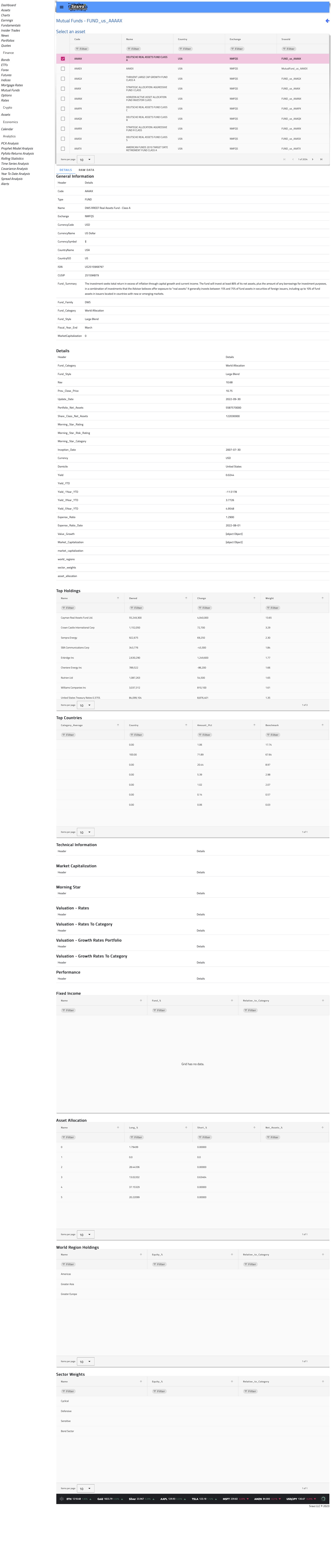
When a fund is selected, view detailed fundamental metrics including:
Fund Information
- Fund Name and Code
- Category and Type
- Country and Currency
- Exchange Information
Performance Metrics
- Year-to-Date (YTD) Return
- 1-Year, 3-Year, 5-Year Returns
- Since Inception Returns
- Risk-Adjusted Returns
Portfolio Characteristics
- Assets Under Management (AUM)
- Expense Ratio
- Turnover Rate
- Number of Holdings
Risk Metrics
- Standard Deviation
- Sharpe Ratio
- Alpha and Beta
- R-Squared
Fund Categories
The platform covers all major mutual fund categories:
| Category | Description | Icon |
|---|---|---|
| Equity | Stock-focused funds | trending_up |
| Bond | Fixed income investments | account_balance |
| Allocation | Balanced/mixed asset funds | pie_chart |
| Money Market | Short-term securities | payments |
| Alternative | Non-traditional strategies | psychology |
| Commodities | Commodity-focused funds | inventory_2 |
| Real Estate | REIT and property funds | home_work |
Usage Guide
Selecting Funds
- Browse the Fund Selector section
- Use filters to narrow down options
- Click on a fund to add it to your selection
- Selected funds appear in the Selected Tickers panel
Viewing Fundamentals
- Select at least one fund from the list
- The Fundamentals section displays detailed data
- Compare metrics across multiple selected funds
Clearing Selections
- Click the × on individual fund chips to remove them
- Use Clear All button to reset all selections
Data Sources
Mutual fund data is aggregated from multiple authoritative sources:
- Fund company reports and filings
- Exchange data feeds
- Financial data providers
- Regulatory filings
Data is updated regularly to ensure accuracy and timeliness.
Screenshots
Mutual Funds Dashboard
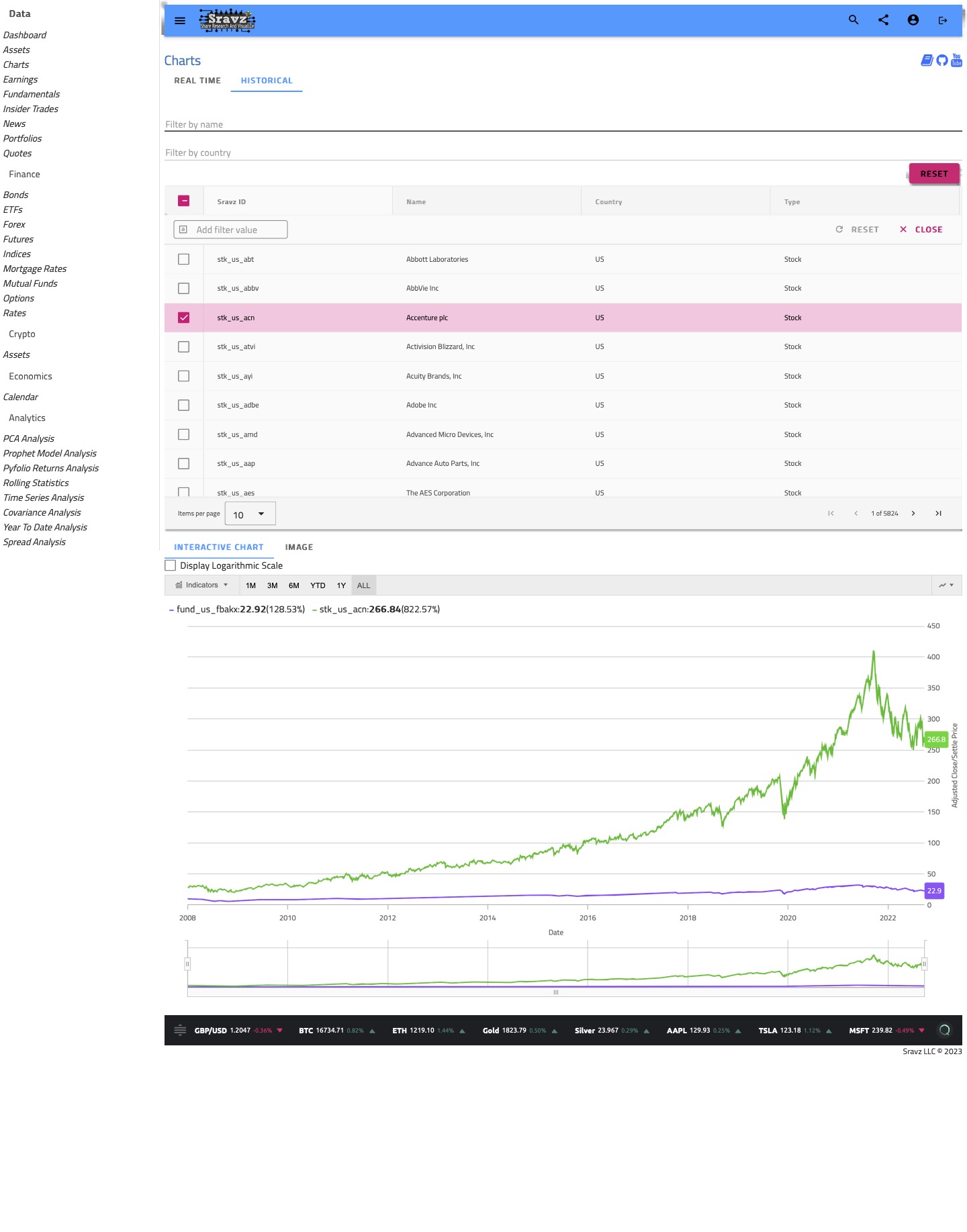
Charts Screen - Compare with Other Asset Types
Use the charts screen to compare mutual fund performance with any other asset type, such as individual stocks or ETFs.
Technical Details
Data Model
Each mutual fund ticker includes:
- SravzId - Unique internal identifier
- APICode - External API reference code
- Code - Fund ticker symbol
- Country - Domicile country
- Currency - Base currency
- Exchange - Trading exchange
- Name - Full fund name
- Type - Fund classification
Fundamental Data Fields
The Fundamental model provides 50+ data points including:
- General fund information
- Valuation metrics
- Performance statistics
- Risk measurements
- Portfolio composition
Related Pages
- ETF Funds - Exchange-traded fund analysis
- Stocks - Individual equity research
- Bonds - Fixed income investments
- Asset Comparison - Cross-asset analysis