
Portfolios
Visit Sravz Portfolios Page
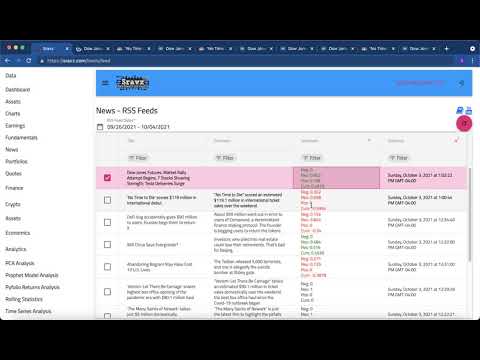
Portfolio Management Video Tutorial
Use Case
The Portfolios page provides a comprehensive investment portfolio management and analytics dashboard. It enables cross-asset analysis, performance tracking, and advanced quantitative analysis using machine learning models.
Key Features
Analytics Dashboard
- Summary Cards: At-a-glance metrics showing total portfolios, total value, total P&L, and best performer
- Portfolio Allocation Chart: Visual pie chart showing value distribution across portfolios
- P&L Performance Chart: Bar chart comparing profit/loss across all portfolios
- Top Holdings: Aggregated view of top 5 holdings across all portfolios with P&L indicators
Portfolio Summary Metrics
- Total Portfolios: Number of portfolios with profitable/losing breakdown
- Total Value: Combined market value of all portfolios
- Total P&L: Overall profit/loss with percentage return
- Best Performer: Portfolio with highest percentage return
Enhanced Portfolio Grid
- Visual P&L Indicators: Color-coded cells (green for profit, red for loss)
- Percentage Badges: Styled return badges with gradient backgrounds
- Visibility Status: Public/Private indicators with icons
- Owner Information: Portfolio creator details
- Sortable & Filterable: All columns support sorting and filtering
Asset Holdings Grid
- Symbol Display: Clear asset identification with icons
- Price Comparison: Purchase price vs current price with color coding
- P&L Breakdown: Individual asset profit/loss with directional arrows
- Weight Visualization: Progress bars showing portfolio weight allocation
- Return Badges: Percentage returns with color-coded styling
Supported Asset Types
- Futures: Commodity and financial futures contracts
- Indices: Major market indices (S&P 500, NASDAQ, etc.)
- Currencies: Forex pairs and currency markets
- Rates: Interest rate instruments
- Crypto: Cryptocurrency assets
- Stocks: Individual equity securities
Portfolio Analysis Tools (Tearsheets)
When you select a portfolio, advanced analysis tearsheets are generated:
Correlation & Covariance Analysis
- Asset correlation matrix
- Portfolio covariance structure
- Diversification metrics
Principal Components Analysis (PCA)
- Risk factor decomposition
- Variance explanation
- Portfolio factor exposure
Returns Analysis
- Historical returns distribution
- Risk-adjusted metrics (Sharpe, Sortino)
- Drawdown analysis
Time Series Analysis
- Trend decomposition
- Seasonality patterns
- Volatility clustering
Prophet Model Predictions
- Future price predictions
- Confidence intervals
- Change point detection
- Trend analysis with Facebook Prophet ML model
Leveraged Funds Analysis
- Performance comparison for leveraged ETFs
- Decay analysis
- Optimal holding period recommendations
Creating a Portfolio
- Click “Create Portfolio” button
- Enter portfolio name and description
- Select assets from supported types (Futures, Index, Currency, Rates, Crypto, Stocks)
- Set portfolio weights (must total 100%)
- Double-click on Weight_Pct column to adjust weights
Portfolio Management
- View Details: Click the eye icon to view portfolio assets and analysis
- Refresh P&L: Update real-time prices and recalculate P&L
- Delete Portfolio: Remove portfolio (click delete icon)
- Public/Private: Set portfolio visibility for sharing
Sravz Portfolios - Screenshot
Screenshot:

Technical Details
- Real-time P&L: Prices refreshed on-demand with latest market data
- Multi-Asset Support: Unified view across different asset classes
- Responsive Design: Optimized for desktop and mobile devices
- Machine Learning: Prophet model for time series forecasting